



Bjorn's Word Clouds
Create amazing word clouds
- a Microsoft Word add-in -
Known MS Office issues
If the MS Office add-in doesn't load properly, close the add-in and try again.
If the dropdown at the top of the add-in sidebar is empty, select the 'Home' option.
Sometime the add-in runtime (code by MS) does not load completly and you get an error dialog, close the add-in sidebar and try again.
Manage your MS Office add-ins
Go here to read about how to remove or manage your MS Office add-ins.
Intro
Create amazing animated word clouds (even as animated GIFs).
Supports various image types - packed circles, tree maps or clouds.
New demo video: "hide previous" animation feature
Features highlighted in video:
- Hide prev animation
- Reveal by frequency animation
- Fade-in/out transition effects
- Duplicated phrases
- Fillers
- Custom filler color
New demo video: random transiton effects, phrase duplicates and more
Here is a video showing how to take a word cloud and create an animated video or GIF using random transition effects. Also highlighted is the "in-then-out" animation type.
Features used in video:
- Reveal all animation
- Random transition effect
- "in-then-out" effect
- Duplicate phrases
- Color gradient
- Fillers
- Custom filler color
NEWS - v8.7 - phrase duplicates
In v8.7 you can make phrases repeat in a cloud in three ways:
- Document setting, make all phrases repeat NN times.
- Per phrase setting, make selected phrases repeat NN times.
- Repeat per frequency, make phrases repeat based on their frequency (count).
Also added to v8.7 is support for secondary animation transitions, you can for example make phrases both slide in and fade in.
Note also that you can now convert WEBM cloud videos to standard MP4 - look for the "Convert" option in the dialog that shows the resulting video when you export a cloud to video.
NEWS - v8.6 - redesigned property sidebar
v8.6 has a new redesigned property sidebar, now devided into a core properties section and an advanced properties section.
This version also adds filler images - you can now select your favorite logo to be used a filler symbol.
Also added is support for a transition effect just for filler symbols - you can now for example have all filler symbols come in with the Big Bang effect and use fade in for the rest of the phrases.
NEWS - v8.5 + filler symbols
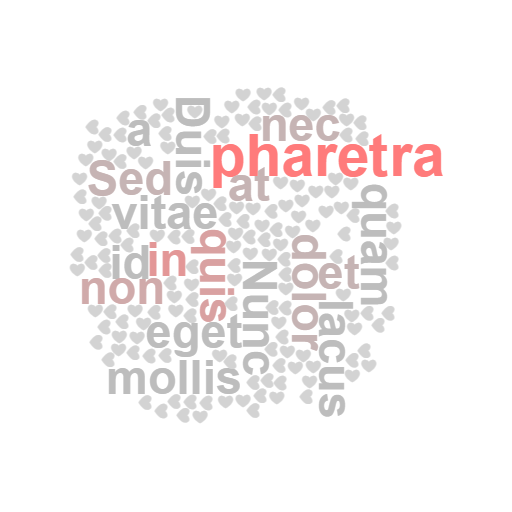
Word Clouds v8.5 introduces "filler symbols". Designing aesthetic clouds sometimes take quite a few iterations, especially if the word or the phrases are long. Adding shorter "filler symbols" can make a cloud look better.
NEWS - non-max then max phrase frequency transitions
Word Clouds v8.4 adds a new animation - first reveal all non-max phrases and then all max frequency phrases. Combine this with transition effects and you have a nice animation.

NEWS - max phrase frequency transitions
Word Clouds v8.3 supports using a different transition for the max frequency phrases than all other phrases.

NEWS - 'Reveal All with selected transition'
On customer request there is now a new animation type Reveal All with selected transition'.
Instead of revealing phrase by phrase or frequency by frequency, this animation reveals all phrases at the same time using the selected transition (Fade in, Big Bang, Slide In, etc.).

NEWS - v8 - transition effects
v8 of Word Clouds supports transition effects for animated clouds. Phrases can be faded in or slided in when revealed in the animation. You can of course control how long the transition should take.
List of supported effects:
- Fade in
- Slide in from nearest edge
- Slide in from above
- Slide in from below
- Slide in from the left
- Slide in from the right
- Big bang (explode) - added April 2025
- Implode - added April 2025
- Rotate in - added April 2025
- Spin in - added April 2025
The effects are supported for all three cloud types: Cloud, Packed Circles and Tree Map.
A few sample GIFs:


NEWS - v7.5 - view excluded phrases UX
v7.5 has new UI to view phrases excluded by filter settings or the global ignore list. (YT demo)
This version also adds a new UX for adding phrases.
NEWS - v7.4 - new phrase selection UX
v7.4 has an improved phrase selection UX. You can now select individual phrases in the cloud designer and make changes using the properties sidebar. (YT demo)
7.4 also features improved animations for packed circles and tree maps.
NEWS - v7.3 - Doughnut clouds
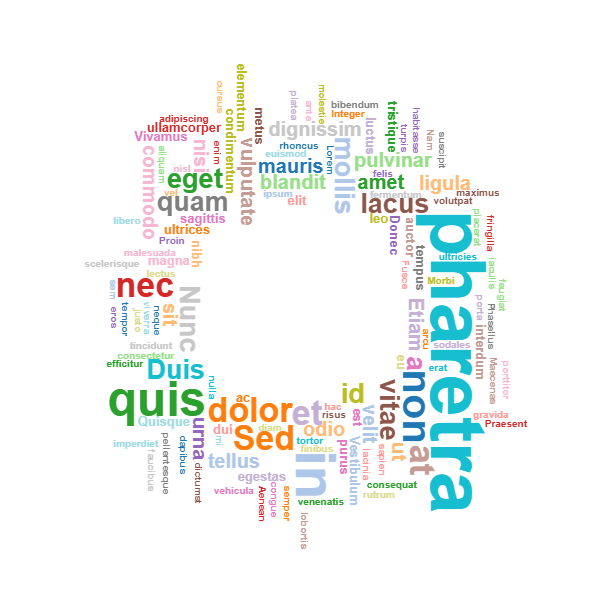
Version 7.3 adds support for doughnut shapes. (YT demo)
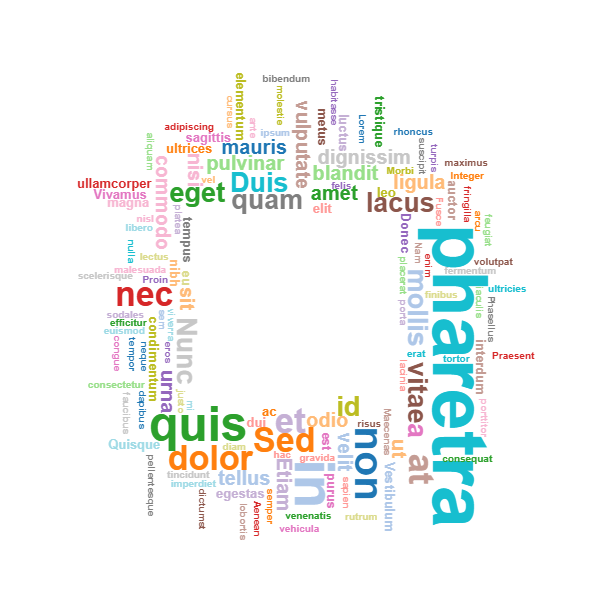
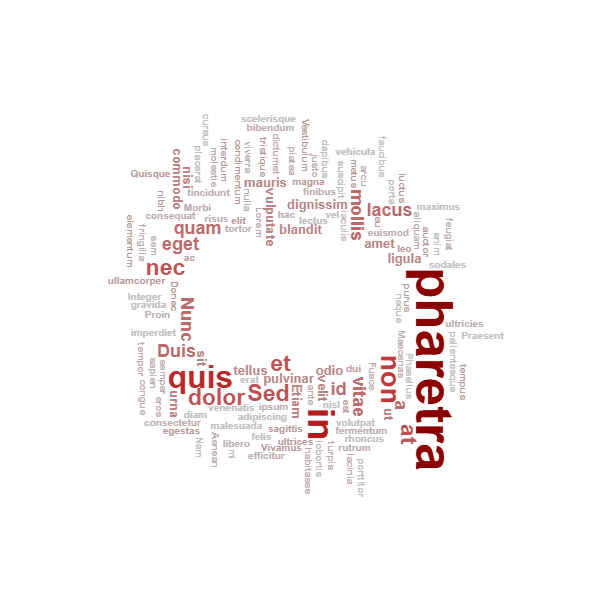
Three different doughnuts are supported. You might have to use a quite small font size and many (shorter) phrases to see the difference between the hole types.
- Doughnut (standard)
- Doughnut (elliptical hole)
- Doughnut (rectangular hole)
You can use the new decorations feature to, for example, add a QR-code in the hole:

NEWS - v7 - Decorations
Version 7 adds a new feature - "decorations".
Using the new Decorations tab you can now add graphic decorations to you cloud, e.g callouts, textboxes and arrows. (YT demo)
Use this feature to highlight certain phrases or parts: (another YT demo).
When generating animations, you can select to hide the decorations until the last frame. (YT demo)

NEWS - Feb 2025 - Cloud Shapes (and more)
A new feature has been added to v6 - "cloud shapes". You can now make your cloud fit into a shape like a heart, star, ellipse or triangle. Cloud shapes can either be invisible, just forcing the phrases to be placed inside the shape, or visible with a user controlled fill and stroke colors.
Note that for performance reasons, all phrases might not fit into the picked shape.
Note also that you might not have enough phrases to fill up the desired shape.
Supported shapes:
- Ellipse
- Circle
- Heart
- Triangle
- Yield sign
- Diamond
- Pentagon
- Hexagon
- Octagon
- Star, 4 points
- Star, 5 points

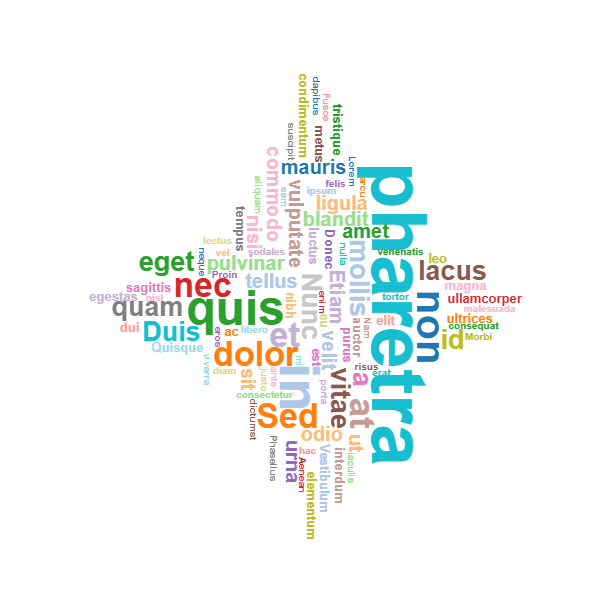

Another feature added to V6 is font size scaling - you can now apply a font size scale to quickly experiment with different font sizes. Let's say you have set the min font size to 5% of the mage height and the max font size to 15% of image height, the scaling feature allows you to adjust the final sizes by applying a percentage. See the new Formatting drop down menu and the scale up and down options - or use the PAGE UP and PAGE DOWN keyboard shortcuts for quick access.
NEWS - Jan 2025 - the new Animation Tab
Latest version of Bjorn's Word Clouds introduces two new features - the animation tab and web page animations.
The Animation Tab in the designer makes it easy to experiment with animated word clouds and when satisfied export the animation as video, GIF or web page.
You can choose from seven different animations and you can of course control the duration of each frame and how long to freeze the last frame.
- Shuffle color list for each frame (sample)
- Highlight each frequency using the max/not-max colors (sample)
- Highlight each phrase using the max/not-max colors (sample)
- Reveal by frequency, lowest frequency phrases first (sample)
- Reveal phrase by phrase, using data table order (sample)
- Reveal phrase by phrase, sorted A-Z (sample)
- Reveal phrase by phrase, low to high frequency (sample)
NEWS - Dec 2024 - export as video
You can now export a cloud as an animated video. See the new options in the Export drop down menu.
The video is divided into frames, you control how long a frame is, the default is one second.
The exported video can animate the cloud in six different ways, grouped into two sets, first group using frequencies and second set using coloring schemes.
Animate by frequency:
- Reveal phrases by frequency, one frequency at a time. First all phrases with the lowest frequence is revevaled until all frequencies are visible.
- Reveal phrase by phrase, in the order from the data source, until whole cloud visible.
- Reveal phrase by phrase, starting with the lowest frequency words, until whole cloud is visible.
Highlighting using colors:
- Reveal the whole cloud. Each frame shuffles the color list used.
- Reveal the whole cloud. Each frame highlights, using a specific color, one phrase frequency (all phrases with same frquency), all other frequencies are shown in a different color.
- Reveal the whole cloud. Each frame highlights one phrase (using a specific color), all other phrases are shown in a different color.
NEWS: Dec 2024 - your personal cloud folder
You can now store your Bjorn's Word Clouds documents in a personal cloud storage folder, a.k.a your Bjorn's Cloud folder.
The File drop-down menu has an option to save documents to your cloud folder, and of course, you can open documents from the cloud with another option in the same menu.
Nov 2024 - max and not-max colors
Word Clouds has a new simple feature for quickly highlighting words or phrases with the highest frequency - you can now enable a "max color" and a "not max color". You can of course leave the "not max color" disabled and all non-max phrases will continue to be colored using a list or a gradient. (YT demo).
Oct 2024 - new major version - v4
New major feature: color gradients. As an alternative to color lists for picking colors for each word/phrase the new version supports gradients. You pick a start and a stop color and the app will compute all colors in-between to give each word frequency a unique color. See this short YT for a quick demo.
Bug fix: The bug with clouds with word specific colors and font styles is now fixed, e.g. you can now assign a custom color to for example the word/phrase with the highest frequency. (This used to work only for for tree maps and packed circles)
The main editor window now has a context menu with hopefully useful options.
The new project dialog has an option to pick recent and popular sizes.
The new project dialog has a list of recently used templates for quicker access.
Nov 2023 - new version
On customer request data is NOT sorted on import. Instead there is a new "Sort data" option in the Options dropdown menu in the Data tab.
July 25 2023 - new version
On customer request you can now override project settings for each phrase(word) with a custom setting for Color, Bold and Italic. Check out the new columns in the Data tab.
With the new Color override you can for example color each "positive" phrase with a green color and each "negative" phrase with a red color.
Data import is also updated to support three new optional columns: Color, Bold and Italic.
Note that the colors sidebar has a new option to allow you to quickly assign a color to each selected word in the Data tab.
July 12 2023 - new version
You can now send a generated word cloud image to the Bjorn's Annotate web app for easy annotations.
Try it! Export image and in the export UX there will be a new option Annotate with the Bjorn's Annotate app. This will open the image in the Annotate app and you can for example add callouts, arrows and text.
You can see this in action in this YT video.
June 21 2023 - new version
Version 3.15 supports templates. A template specifies the look of a cloud but no data. You an apply a template when you create a new project or later. You can save any project as a template for future use. Templates are stored on your local hard drive with the .wordcloudt extension. This short YT video shows how to apply a template as well as how to create a new template.
Note that the version for Google add-ons do not support templates since Google is not supporting the modern File API for any add-ons.
June 9 2023 - new version
Word Clouds now supports background images to add a little touch to the clouds. By default the background images are displayed in gray and low opacity to not clutter the cloud (this can of course be easily changed). This version also enables AI generated background images, as seen in this short YouTube video.
Video samples
Below is a sample cloud video, animating on frequency, revealing frequency by frequency.
Samples GIFs
Below is a sample animated cloud, animating on frequency, each frame shows words with the same frequency.
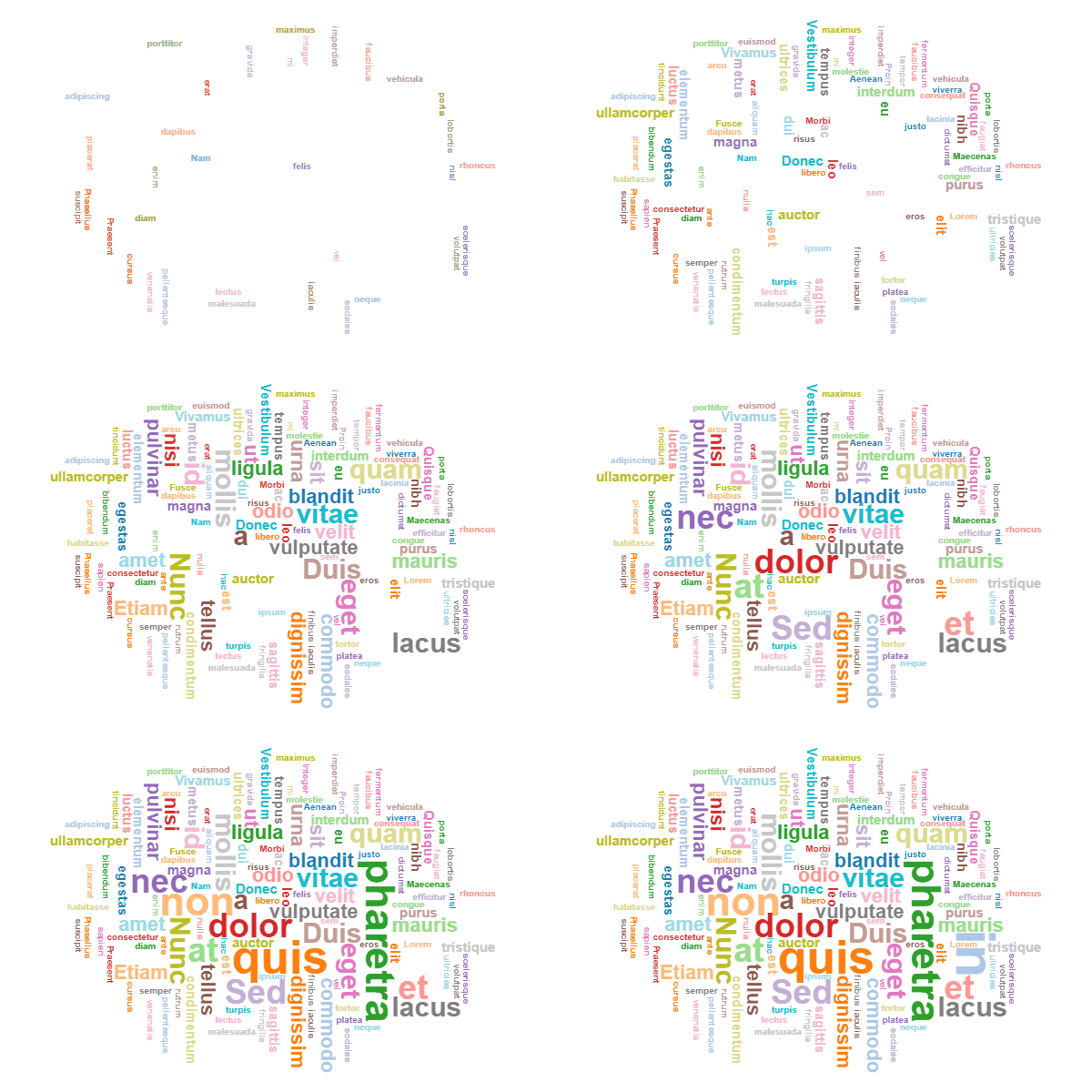
This cloud animates each word, from low to high frequency.

Filler symbols
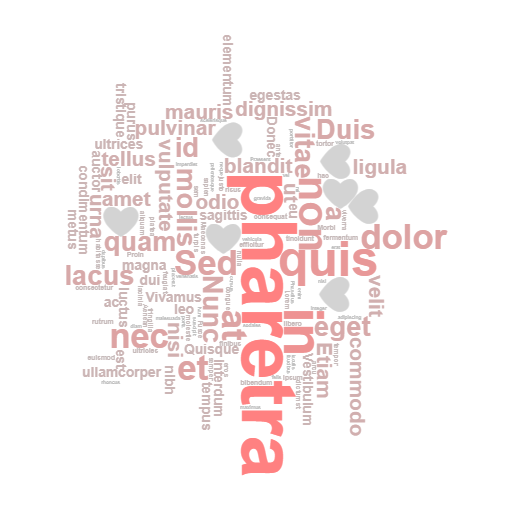
Designing aesthetic word clouds sometimes take quite a few iterations, especially if the phrases are quite long. Adding shorter "filler symbols" can make a cloud look better. You can specify any symbol (e.g. a heart, star) as the filler symbol for a cloud, you also specify how many you want, then the cloud machine adds these fillers into the design where space is available. You can use a set of different symbols and the machine will pick one by one.
More
Check out this short YouTube video.
Check out screenshots and install from the Google web store.
Other platforms
Check out these other versions for other platforms.


Pricing
This add-in is in the TIER-1, a TIER-1 subscription costs $8.95 per month.
You can try the add-in for 7 days for free.
Note that a TIER-1 subscription covers all TIER-1 products.
There is a 5-user subscription with a great discount, $29.95 per month.
Use Bjorn's Account Manager to buy/manage your subscription.
Use your PayPal account to cancel your subscription.
Internet Explorer issues
This app is using modern features in Javascript that is not supported by the old Internet Explorer browser - the add-in won't work in older versions of MS Office using Internet Explorer. Sorry...

Support
Please report bugs here or reach out 2 me with questions @ support@backlund.org.
Follow me at Instagram @bjornsplayground and check out more videos at my YouTube channel.
You can view our privacy policy here.

